
Flutter apps for iOS and Android from one codebase
Flutter lets one team ship the same app to iPhone, Android and the web, with one set of features, tests and fixes. We have built mobile apps for live streaming, events and fitness, and we will tell you plainly when native would serve you better.
- One codebase and one team
- Native code where it matters
- Store releases handled for you
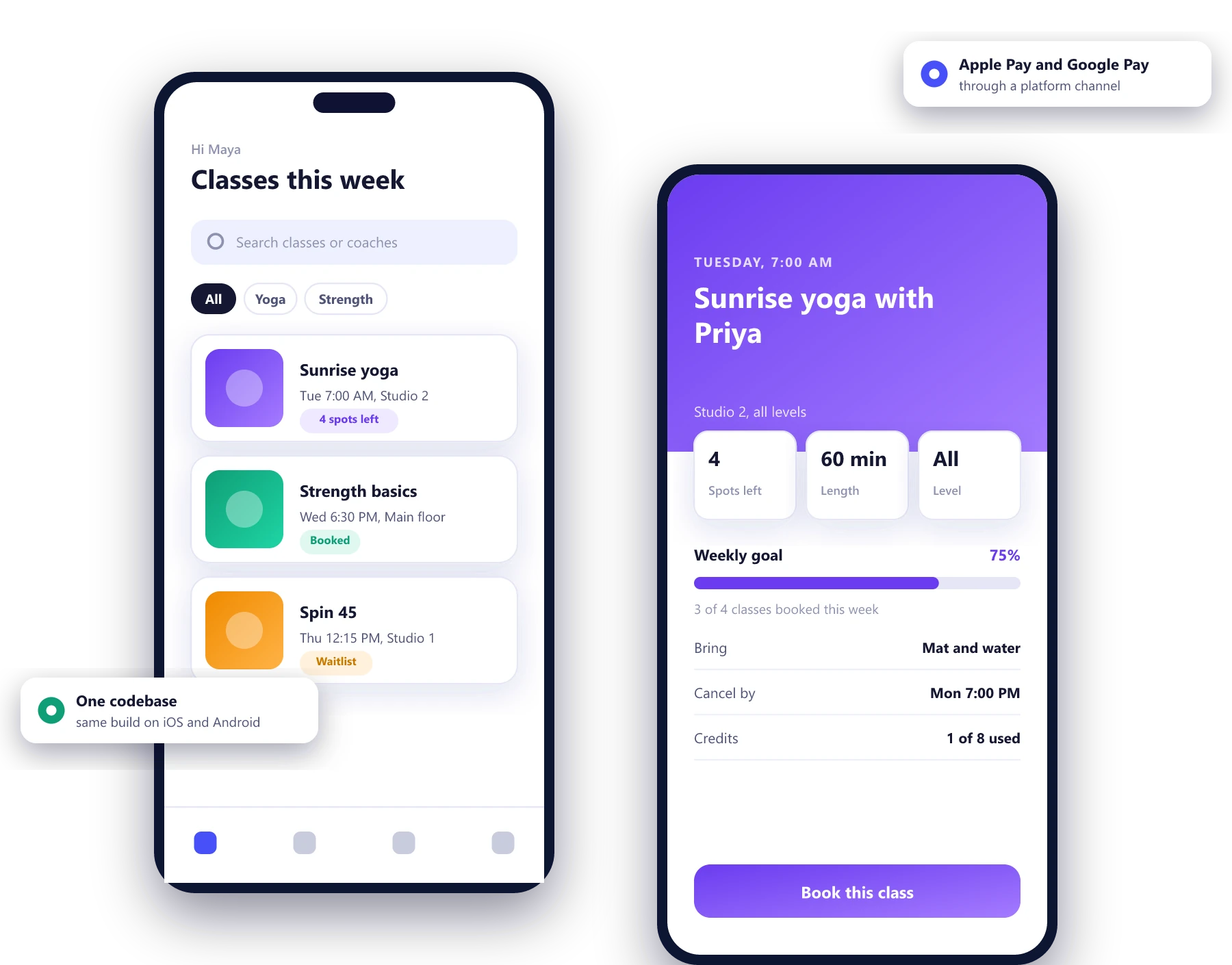
What one codebase actually buys you
The savings are real, but they come from maintenance more than from the first build. Every fix and every feature is written once, tested once and released to both stores together.
One app, two stores
iOS and Android get the same features on the same day, and nobody has to keep two versions in step.
Fast design changes
Hot reload shows a change in under a second, so design reviews happen on a real phone and adjustments are cheap.
Native performance
Flutter compiles to machine code and draws its own interface, so scrolling and animations stay smooth on mid-range phones.
Room to grow
The same code can run as a web app or on desktop when you need an admin panel or a kiosk version.
Clean architecture that the next developer can read
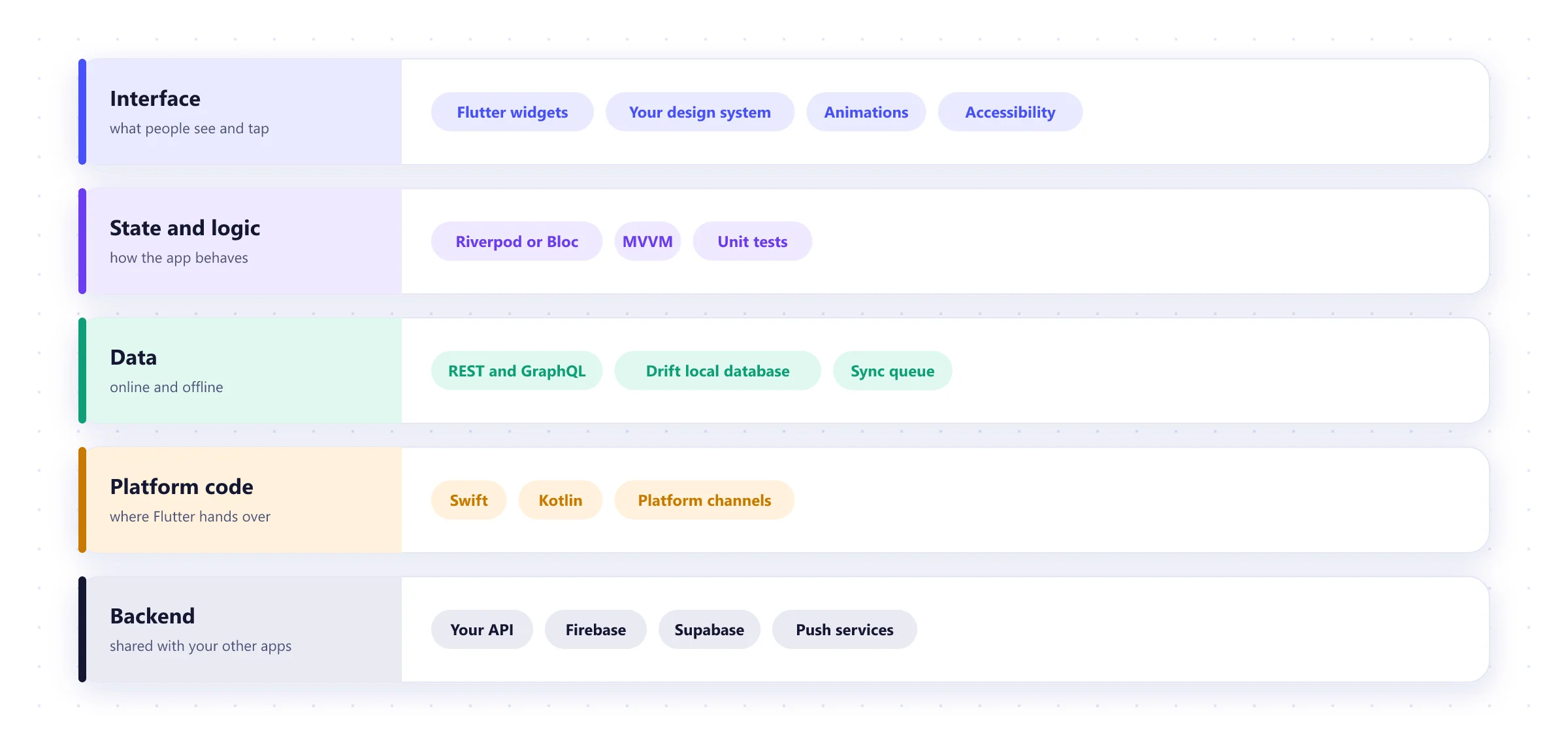
Flutter makes it easy to build something that works and hard to change later. We separate the interface, the logic and the data from the start, test each layer, and write platform code in Swift or Kotlin only where a feature needs it.
A first release in about five months
For a typical first version with sign-in, a handful of core screens, payments and one integration. Smaller apps are quicker.
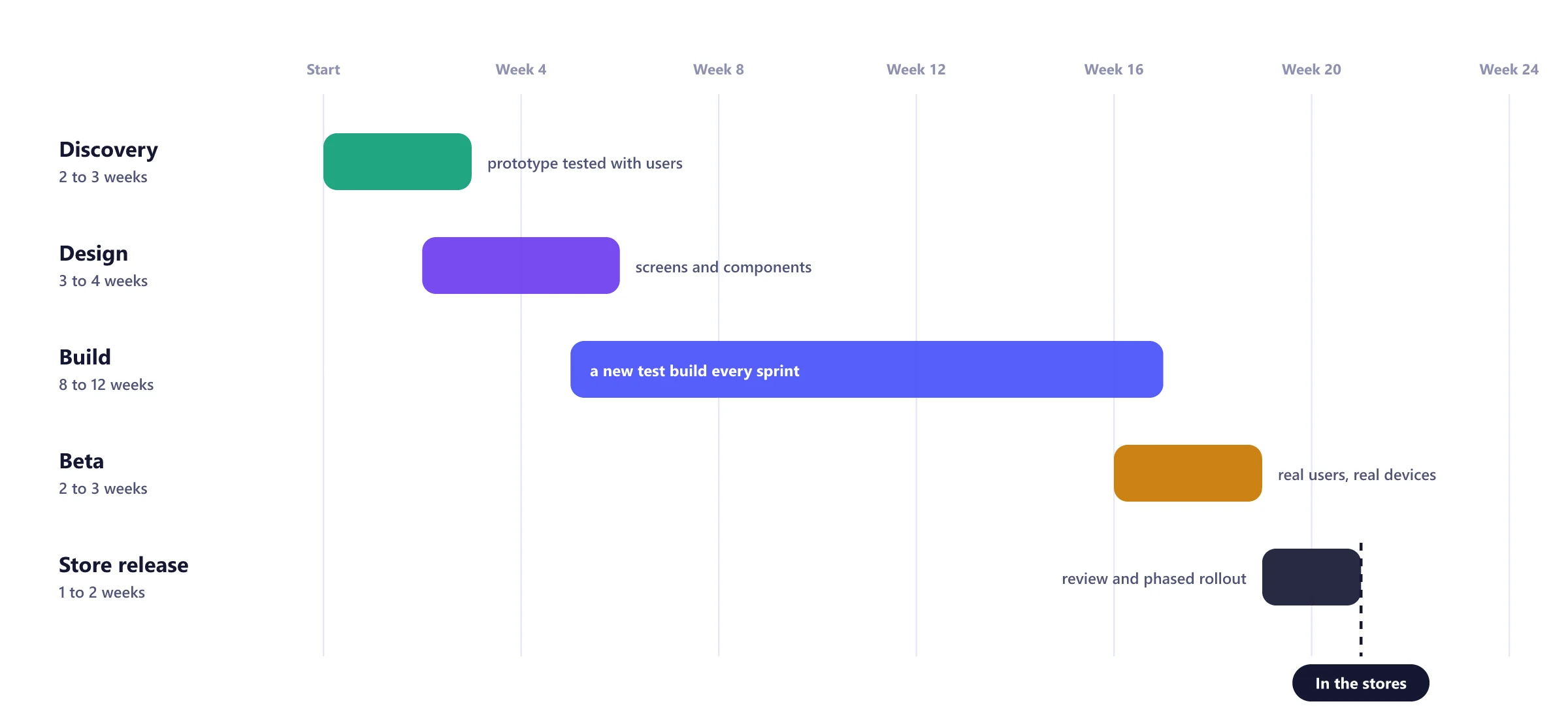
Discovery
2 to 3 weeksUser journeys and a clickable prototype you can put in front of real users.
Design
3 to 4 weeksScreens and a component library that works on both platforms.
Build
8 to 12 weeksSprints of two to three weeks, each ending in a build on your phone.
Beta
2 to 3 weeksTesting on the devices your users actually own.
Release
1 to 2 weeksStore listings, review and a phased rollout.
Flutter and mobile apps we have built

Live streaming with multi-guest rooms
A Flutter app for iOS and Android with group video calls, live chat, virtual gifts that hosts can cash out, and weekly leaderboards.
Read the case study →
An outfit registry for events
Guests save the outfit they plan to wear and get a warning before anyone else turns up in the same thing.
Read the case study →
Body measurement tracking
Measurements and progress photos logged by date, charted against earlier entries and synced across devices.
Read the case study →Our Flutter toolkit
Core
- Flutter
- Dart
- Material 3
- Cupertino
State
- Riverpod
- Bloc
- Provider
Data
- Dio
- GraphQL
- Drift
- Hive
Backend
- Firebase
- Supabase
- Node.js
- Your API
Release
- Codemagic
- Fastlane
- GitHub Actions
Quality
- flutter_test
- Patrol
- Sentry
- Crashlytics
Flutter app development FAQ
Is Flutter a good choice for a production app?
Yes, for most business and consumer apps. Flutter compiles to native code on iOS and Android, has a large package ecosystem and is maintained by Google. It is a weaker fit for apps built around heavy 3D, AR or advanced camera processing, and we will tell you if yours is one of them.
How much cheaper is Flutter than building two native apps?
Usually noticeably cheaper, but not half the price. You save on building and maintaining one codebase, and some effort remains per platform: platform-specific features, testing on both, and store releases. The saving grows over the life of the app, because every fix and feature is done once.
Can a Flutter app use the camera, Bluetooth, payments and other device features?
Yes. Most device features have well-maintained Flutter packages. Where one does not exist or is not good enough, we write that part in Swift or Kotlin and call it from Flutter through a platform channel.
Can the same Flutter code run on the web?
Yes, and it works well for dashboards, internal tools and logged-in apps. For public marketing pages that need to rank in search, a regular website is still the better choice, and we usually build that separately.
Can you take over an existing Flutter app?
Yes. We start with an audit of the code, state management, dependencies and build setup, then give you a written list of what to fix first and what it will cost to carry on.
Flutter or React Native?
Both are sound. Flutter gives more consistent UI across platforms and strong performance. React Native makes sense if your team already writes React and wants to share code with a website. Our comparison of Flutter and native development covers the wider decision.
Worth reading before you start
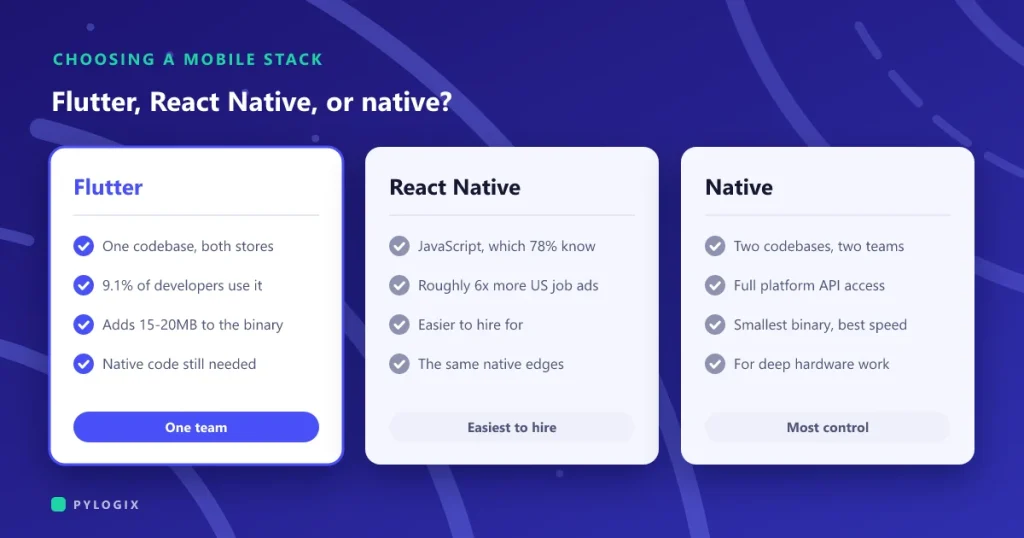 Flutter or native app development
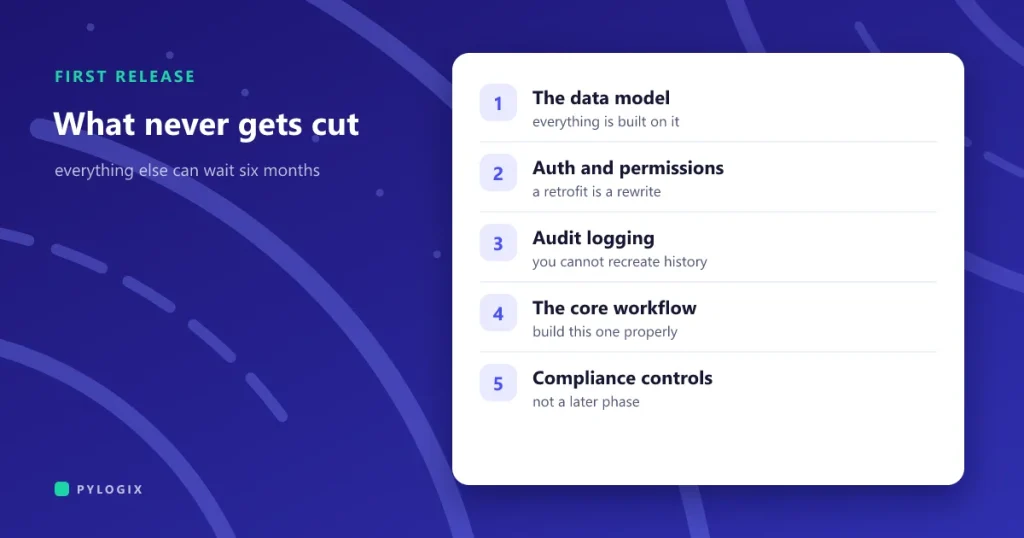 MVP scope: what to build first
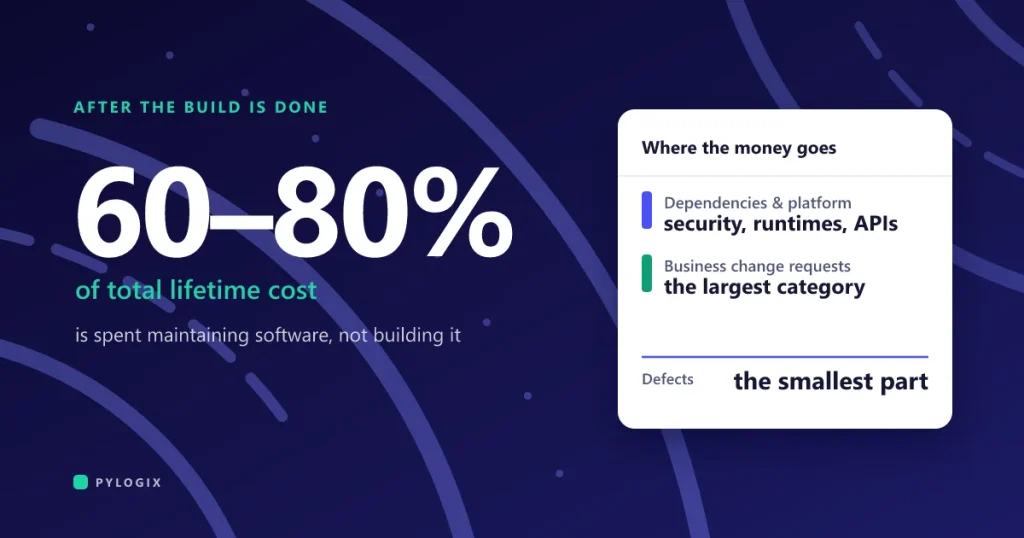 What software maintenance costs after launch
Planning a Flutter app?
Tell us what the app needs to do and who will use it. We will come back with questions, a suggested scope for the first release and a rough timeline.