
AI agents that do real work, with a person in the loop
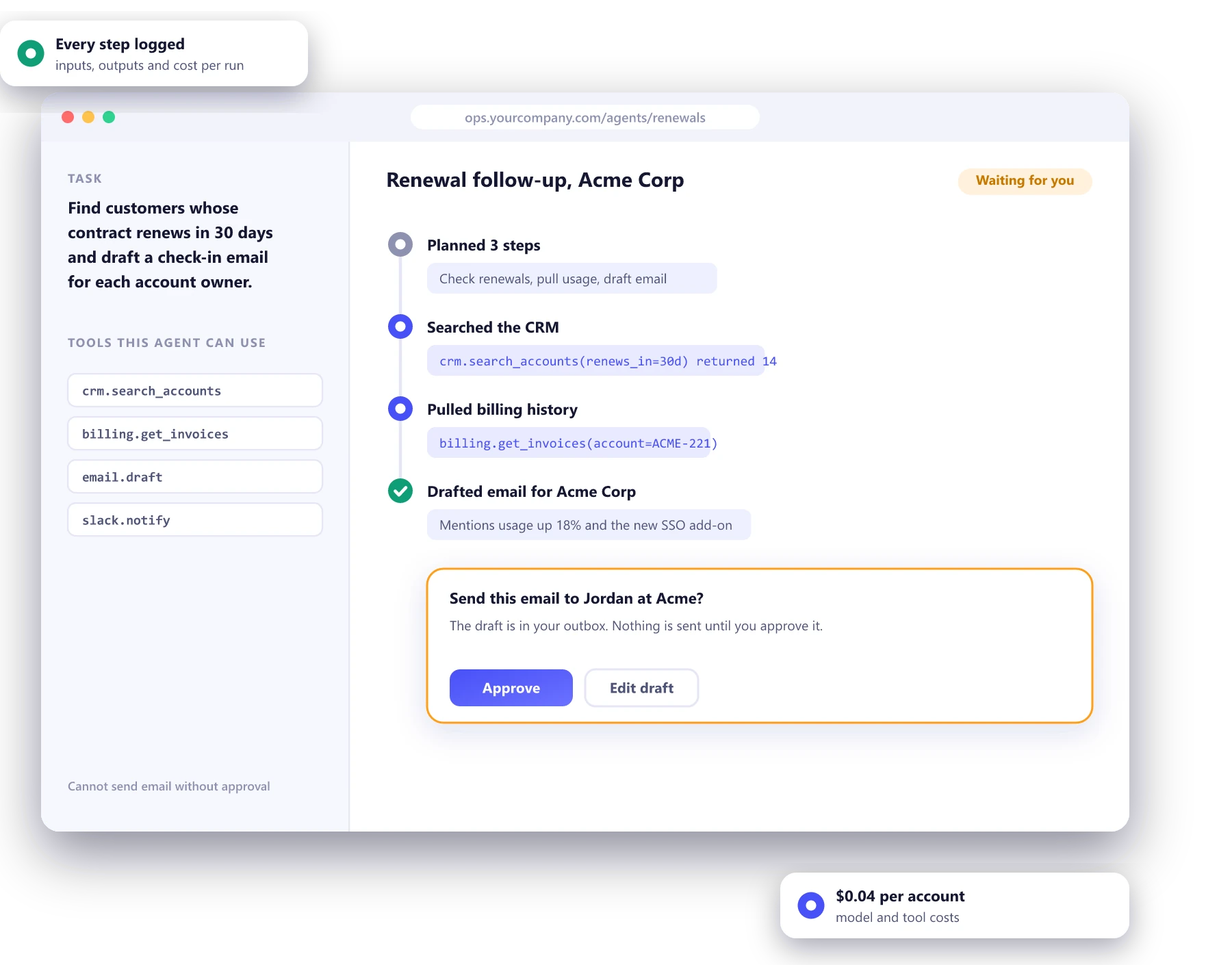
Agents are language models that can use tools: search your CRM, draft an email, update a ticket. We build them for the repetitive back-office work that fills your team's week, with narrow permissions, approval steps for anything risky and a log of every action.
- Only the tools a task needs
- Human approval for risky actions
- Every step logged and costed
Work that is repetitive, but never quite the same
Sales operations
Renewal follow-ups, CRM clean-up and meeting prep that pulls account history from three systems into one brief.
Customer support
Ticket triage, drafted replies and refunds within policy, with a person approving anything outside the rules.
Finance operations
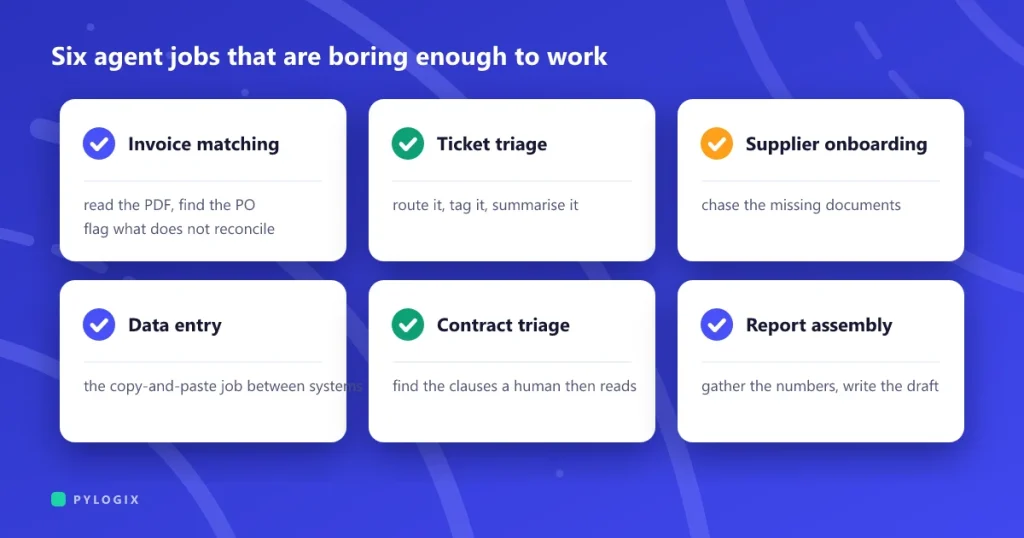
Invoice matching, expense checks and payment reminders, with exceptions routed to the right person.
Order operations
Stuck orders, address problems and supplier follow-ups handled before a customer has to ask.
Internal helpdesk
Access requests, account set-up and common IT questions, checked against policy and logged.
Research and reporting
Weekly summaries that gather numbers and notes from several tools and write them up for a person to check.
A loop with rules around it
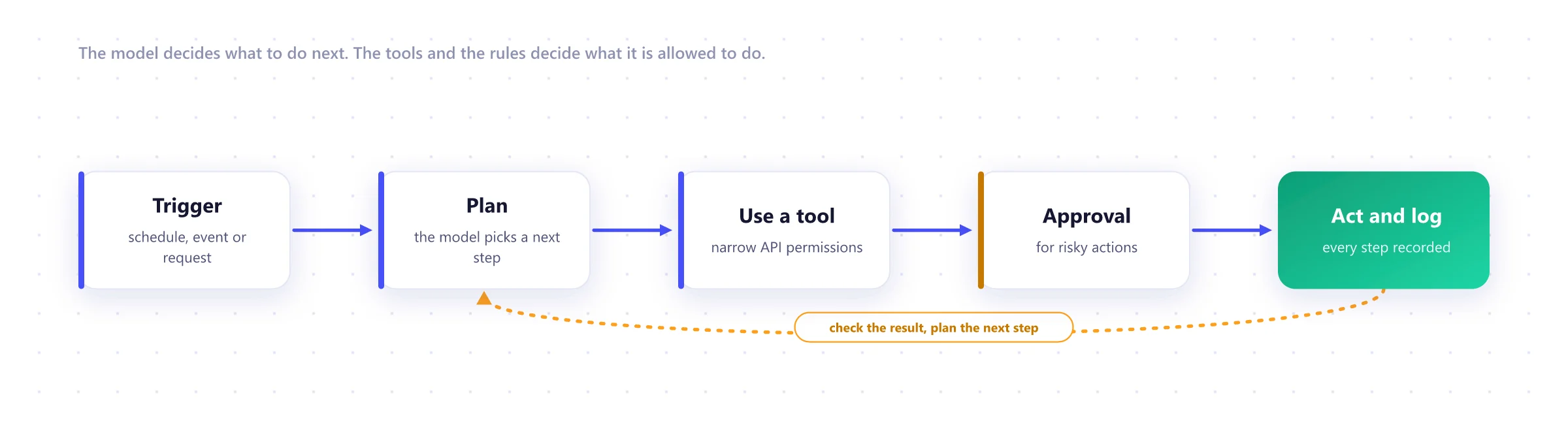
The model plans a step, calls a tool, checks the result and decides what to do next. Everything around that loop is ordinary software engineering: permissions, approvals, limits and logs.
Most agents should ask before they act
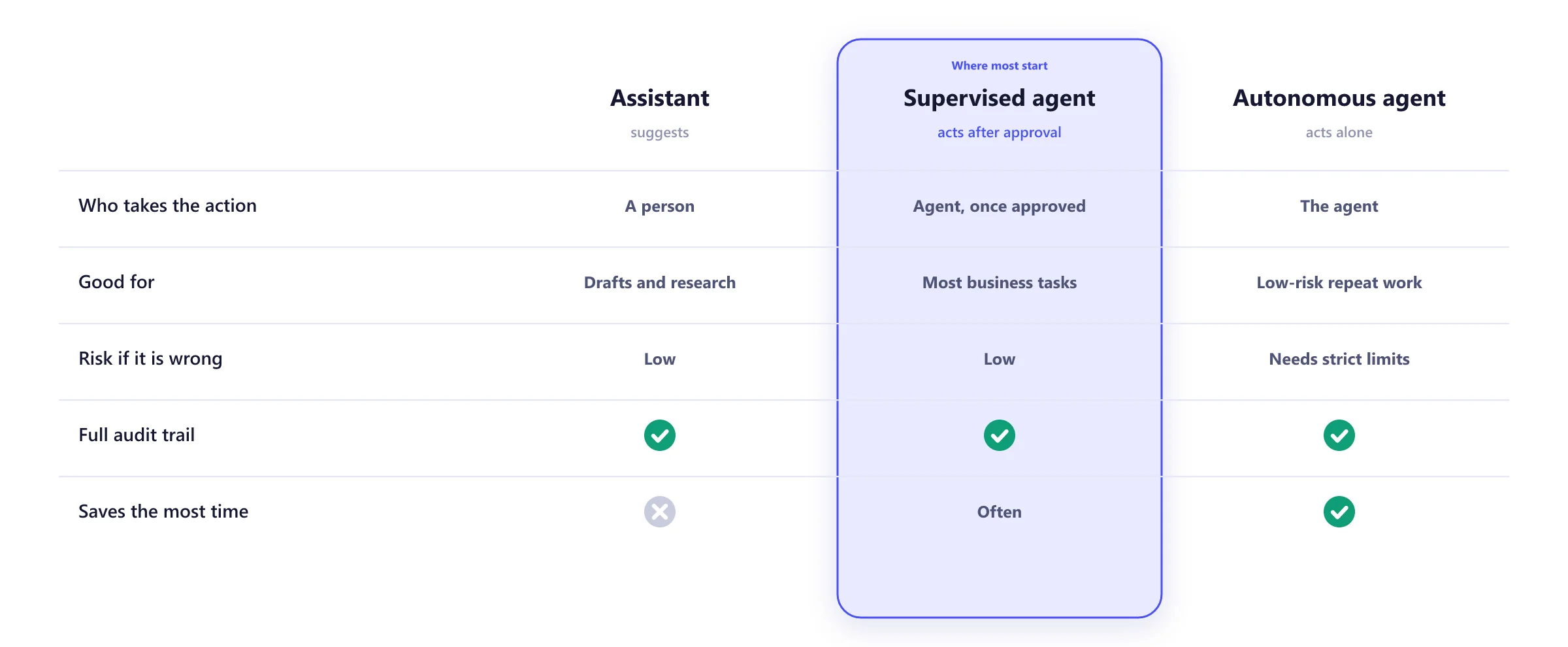
We usually start with a supervised agent. It does the research and prepares the action, and a person approves it with one click. Once the logs show it gets a task right consistently, you can let it act alone on that task.
What every agent we ship includes
The model will occasionally be wrong. The design makes sure a wrong step is caught, costs little and can be undone.
- Least-privilege tools, scoped to one task
- Approval rules for sending, paying and deleting
- Spending and rate limits on every run
- A replay test of past cases before each release
- Full traces of every step, input and output
- A stop switch your team controls
From one workflow to a working agent
Pick the workflow
1 to 2 weeksOne task chosen, with the rules, systems and a set of past cases to test against.
Prototype
2 to 3 weeksThe agent replays past cases and we compare its actions with your team's.
Shadow mode
2 to 4 weeksThe agent prepares every action. People do the work and compare.
Supervised
4 weeks or moreThe agent acts after approval. Accuracy, time saved and cost tracked weekly.
Expand
OngoingMore autonomy on proven tasks, then the next workflow.
What we build agents with
Models
- Anthropic Claude
- OpenAI GPT
- Open-weight models
Tools
- Model Context Protocol
- REST APIs
- Function calling
Orchestration
- LangGraph
- Temporal
- Custom workflows
Languages
- Python
- TypeScript
- Node.js
Observability
- Langfuse
- OpenTelemetry
- Cost tracking
Hosting
- AWS
- Azure
- Your own cloud
AI agent development FAQ
How is an AI agent different from a chatbot or RPA?
A chatbot answers questions. RPA follows a fixed script and breaks when a screen changes. An agent reads the situation, decides which tools to use and in what order, and handles the messy cases in between, which makes it useful for work that is repetitive but not identical every time.
Is it safe to let an AI take actions?
Only with limits, and that is how we build them. Each agent gets the narrowest permissions its task needs, spending and rate limits, approval steps for anything risky such as sending, paying or deleting, and a switch to stop it at any time. Every step is logged.
Which tasks make good first agents?
High-volume, rule-heavy back-office work where a mistake is easy to catch: follow-ups, triage, data entry across systems, reconciliations and weekly reports. Our article on AI agents for internal operations lists the best candidates.
How do you know the agent is doing a good job?
Before it goes live, we replay a set of past cases and compare its actions with what your team did. In production it runs in shadow mode first, then with approval, and we track accuracy, time saved and cost per task every week.
What does an agent cost to run?
Usually cents per task, depending on the model and how many steps the task takes. We measure it on your real cases during the prototype and set limits so a loop cannot run up a bill.
Which systems can an agent connect to?
Anything with an API, and increasingly through the Model Context Protocol, an open standard for connecting models to tools. CRMs, helpdesks, ERPs, email, calendars, databases and internal services are all common.
Worth reading before you start
 AI agents for internal operations
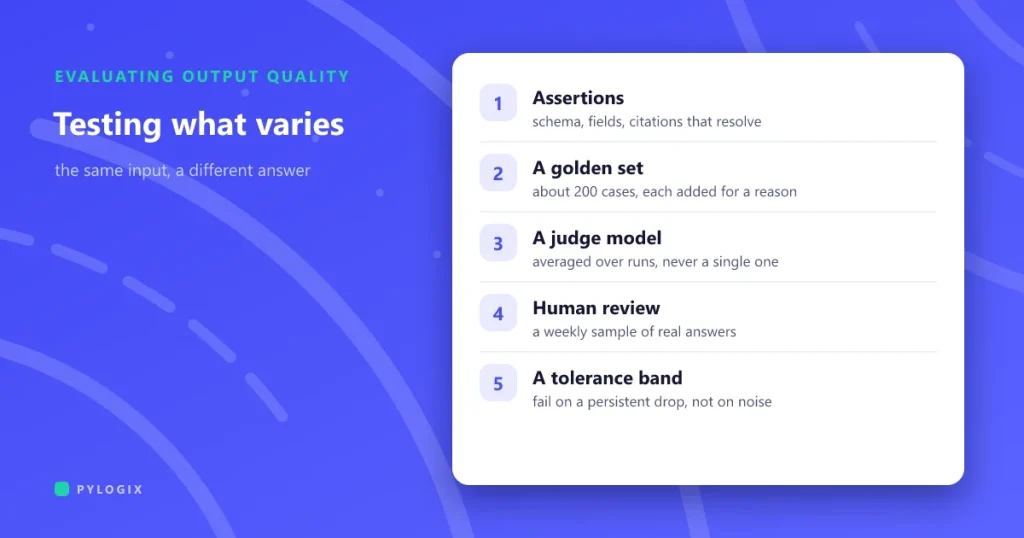 How to test software that is not deterministic
 Taking an AI pilot to production
Which task would you hand to an agent?
Describe the workflow, the systems it touches and how often it happens. We will tell you whether an agent is a good fit and what a safe first version looks like.