
Modernize the system your business cannot switch off
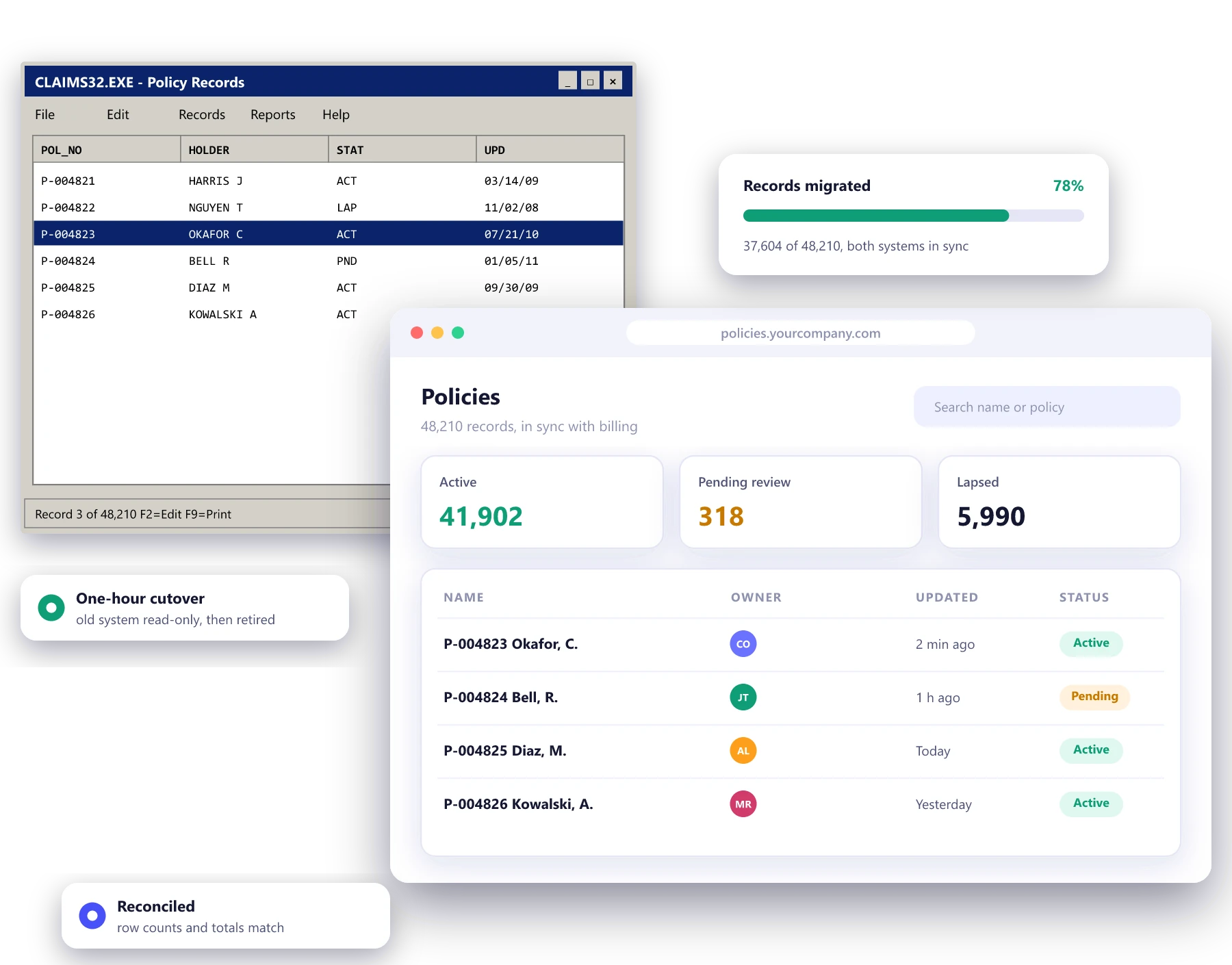
Old systems are usually full of rules nobody wrote down and data nobody can afford to lose. We replace them in stages, so the business keeps running, the rules are kept and the old system is retired only when the new one has proved it matches.
- Rules recovered and documented
- Old and new run side by side
- Every record reconciled at cutover
Signs a system needs modernizing
Only one person can change it
A single developer or contractor understands the code, and every change waits for them.
It cannot be patched
The operating system, framework or database is out of support, and security updates stopped years ago.
It will not connect
New tools need an API the old system does not have, so data moves by export, import and hope.
Simple changes take months
Every change breaks something else, so the business has learned to stop asking for improvements.
Five ways to modernize, and when each makes sense
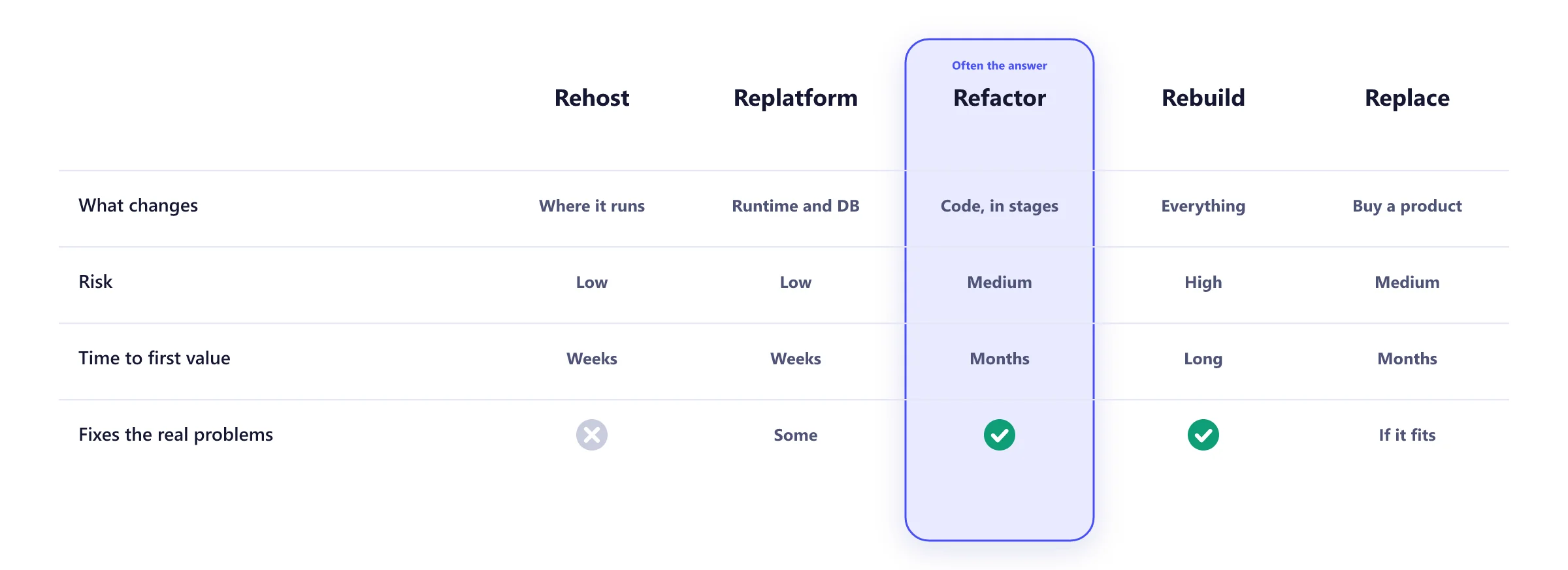
Modernization is rarely one decision. We look at each part of the system and pick a route for it, which often means rehosting some parts, refactoring others and replacing a few with a product you can buy.
Replace it one piece at a time
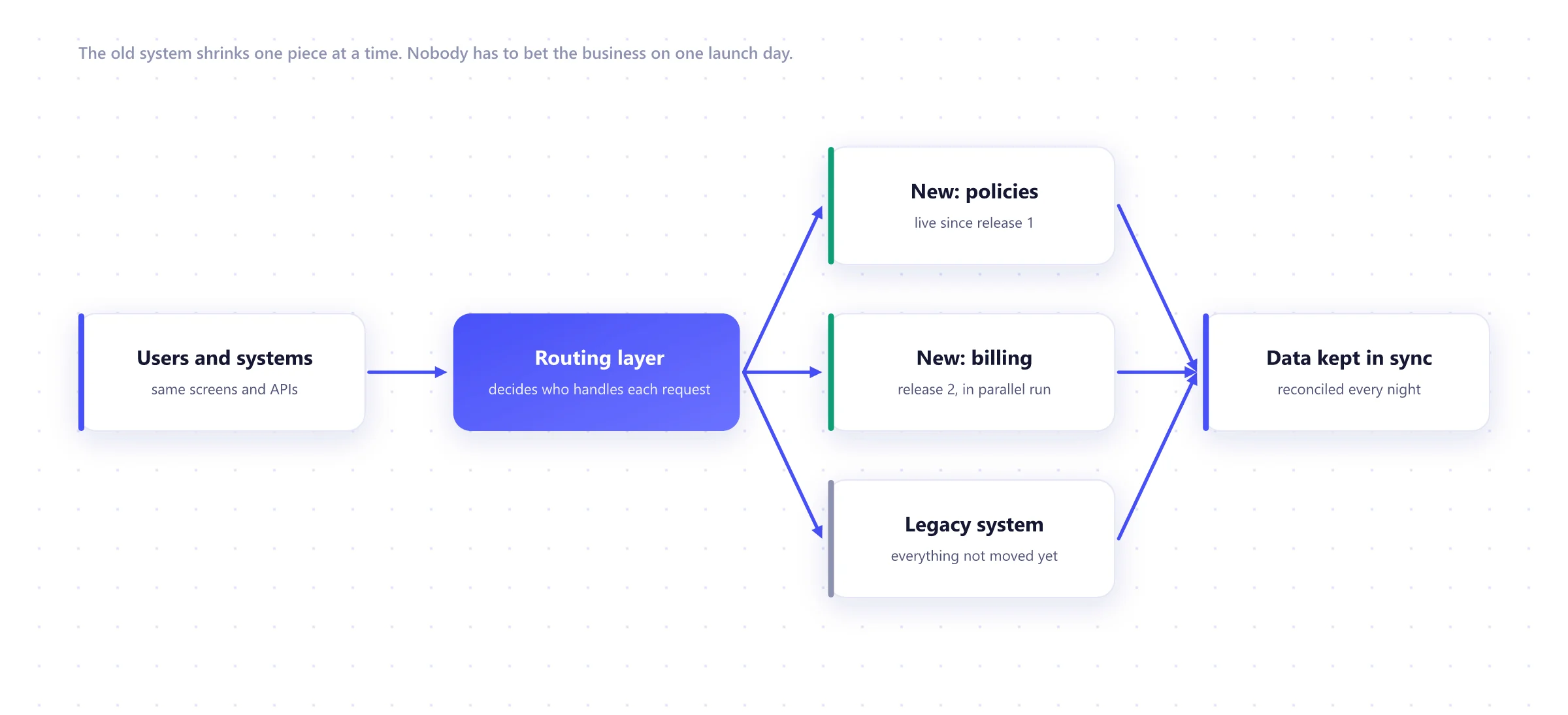
A routing layer sits in front of the old system. Each release moves one part of the business onto new code, runs it in parallel until the results match, then switches it over. This is sometimes called the strangler pattern, after a vine that slowly replaces the tree it grows on.
Assess
3 to 6 weeksCode, data and usage mapped. Rules written down. A route chosen for each component.
Foundations
3 to 5 weeksRouting layer, new hosting, data sync and monitoring in place before any cutover.
First slice
2 to 4 monthsThe most painful part rebuilt, run in parallel and switched over.
Next slices
In releasesOne part at a time, each reconciled before the old code is turned off.
Retire
Final releaseThe legacy system is archived, with its data kept for audit.
Modernization and replatforming work
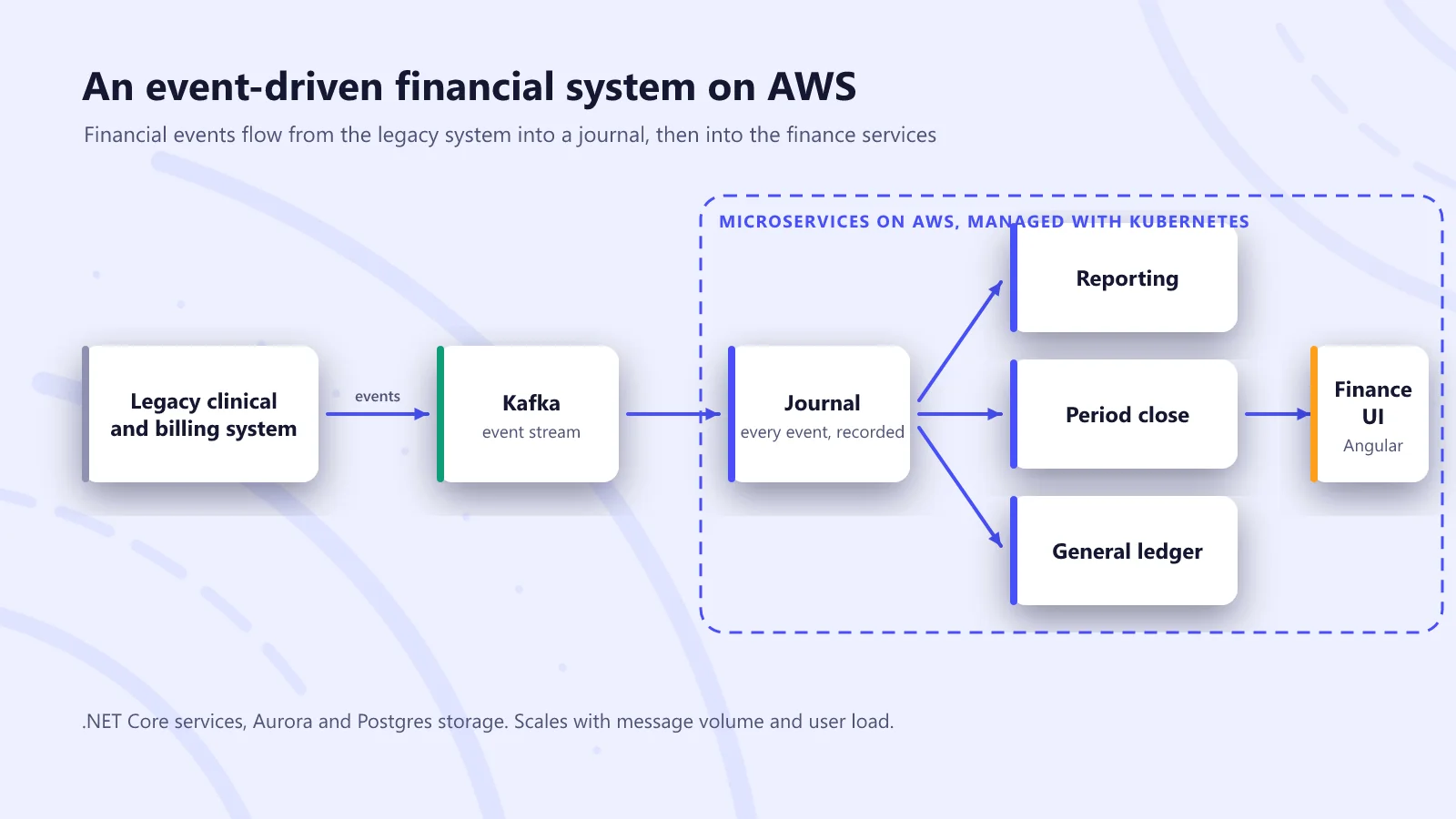
A financial system rebuilt for new CMS payment rules
An event-driven finance platform for a home health and hospice provider, delivered to a fixed regulatory deadline while the rules were still being clarified.
Read the case study →
Three shoe stores moved off Magento
Three Novus Group stores replatformed from Magento to Shopify Plus, with a new SAP connection and a fresh design for each brand.
Read the case study →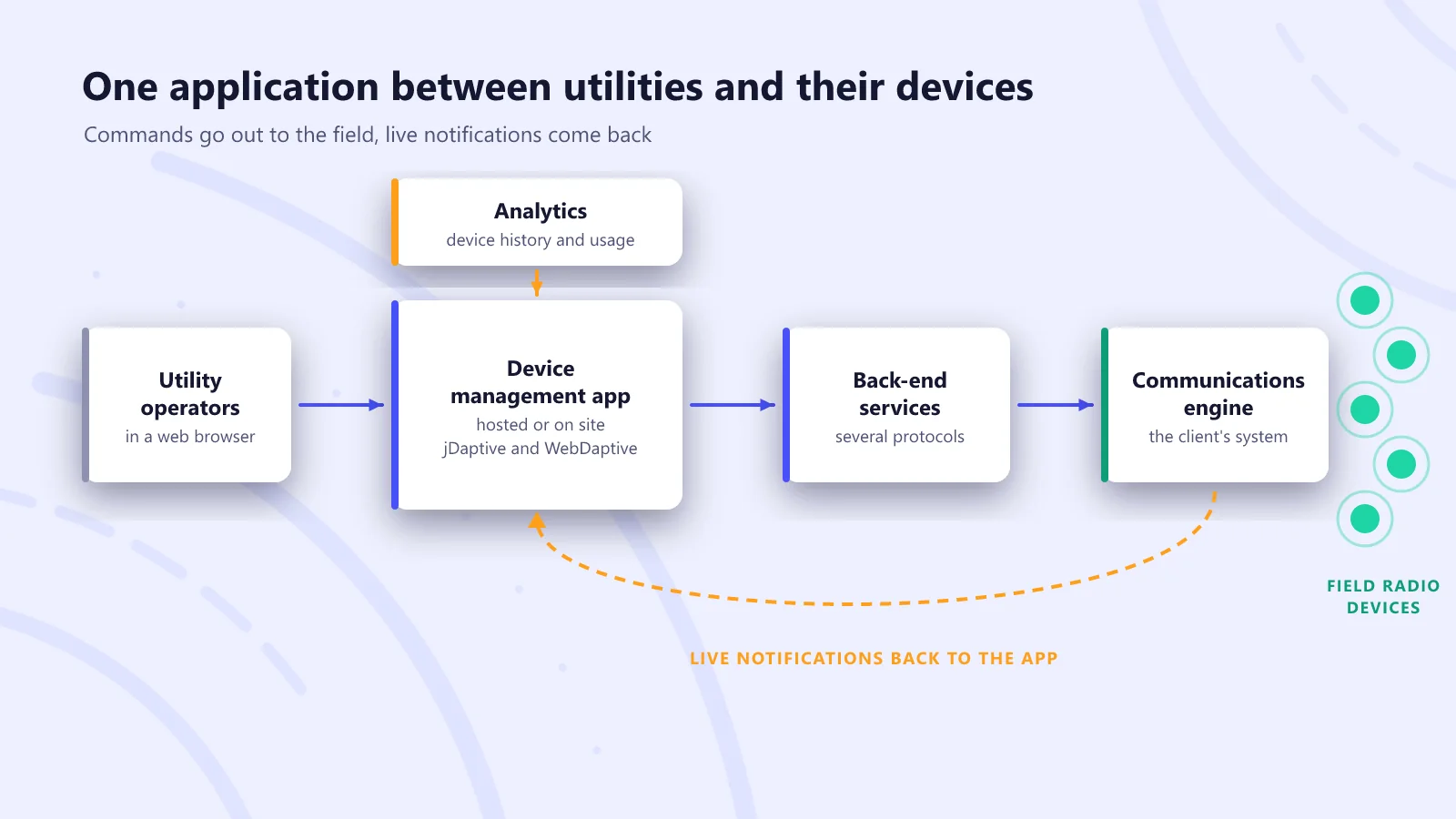
Remote management for utility field devices
A central web application that lets water and energy utilities change settings on their radio devices, or upgrade a whole territory, without a site visit.
Read the case study →What we modernize from and to
Moving from
- VB6
- Classic ASP
- Delphi
- Old PHP
- Access
- Magento 1
Moving to
- .NET
- Java
- Node.js
- Python
- React
- Angular
Data
- SQL Server
- Oracle
- PostgreSQL
- Change data capture
Cloud
- AWS
- Azure
- Google Cloud
- Kubernetes
Routing
- API gateway
- Reverse proxy
- Feature flags
Quality
- Parallel runs
- Reconciliation reports
- Contract tests
Legacy modernization FAQ
Should we rewrite the old system from scratch?
Rarely all at once. A big-bang rewrite has to reproduce years of undocumented rules before it can go live, which is why so many overrun. We usually replace the system piece by piece, routing one part at a time to new code while the old system keeps running. Our guide to legacy system modernization compares the options.
What if nobody understands how the old system works?
That is normal. We read the code, the database and the logs, interview the people who use it, and write down the rules we find. That document is often the most valuable thing a modernization produces.
Can the business keep running during the migration?
Yes, that is the point of doing it in stages. The old and new systems run side by side, data stays in sync, and each piece switches over only after its results match.
How do you make sure no data is lost?
Every migration is rehearsed on a copy of production data first. We reconcile row counts and totals between the old and new systems, and check a sample of records by hand, before and after each cutover.
How long does modernization take?
It depends on the size of the system. A first slice, usually the most painful or most used part, can be live in three to four months. Replacing a whole system typically takes a year or more, delivered in releases.
Do we have to move to the cloud?
No. Moving to the cloud is often part of it, but some systems are better rehosted first and modernized later, and some parts are best replaced with an off-the-shelf product. We recommend a route per component.
Worth reading before you start
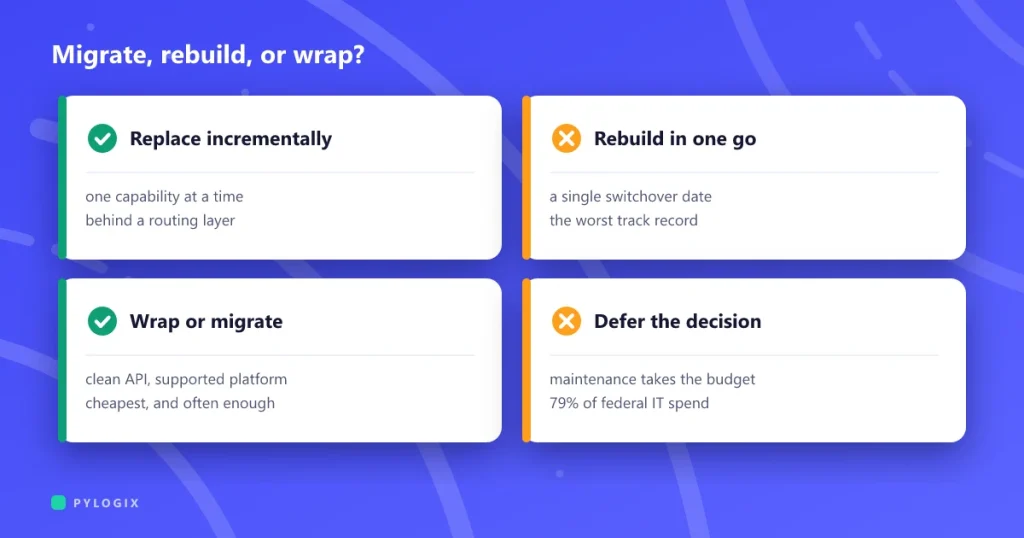 Legacy system modernization without a big-bang rewrite
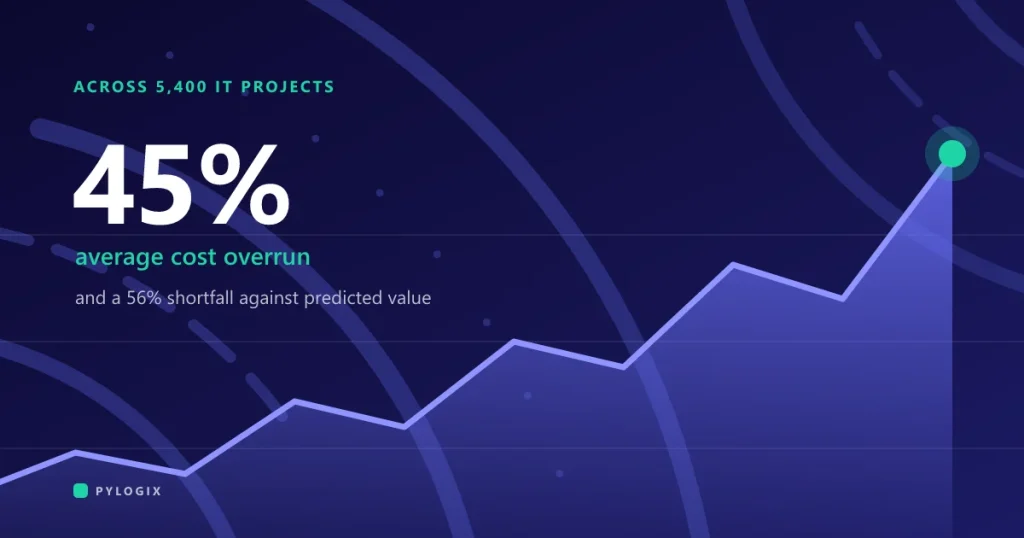 Why software projects run over budget
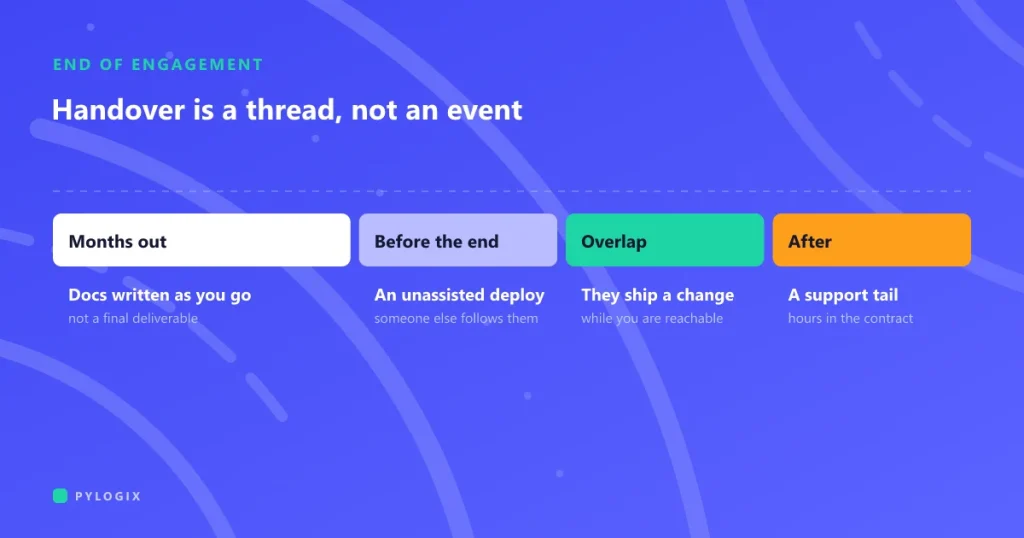 How to hand over a software project
Tell us about the system you are worried about
What it does, what it runs on and what keeps going wrong. We will suggest a route and the safest first step, even if that step is just an assessment.