
Generative AI that answers from your own documents
We build assistants, search and document automation on large language models, grounded in your data so every answer comes with its sources. Each feature ships with an evaluation set, cost limits and a way to say it does not know.
- Answers cite their sources
- Tested on your real questions
- Private data stays private
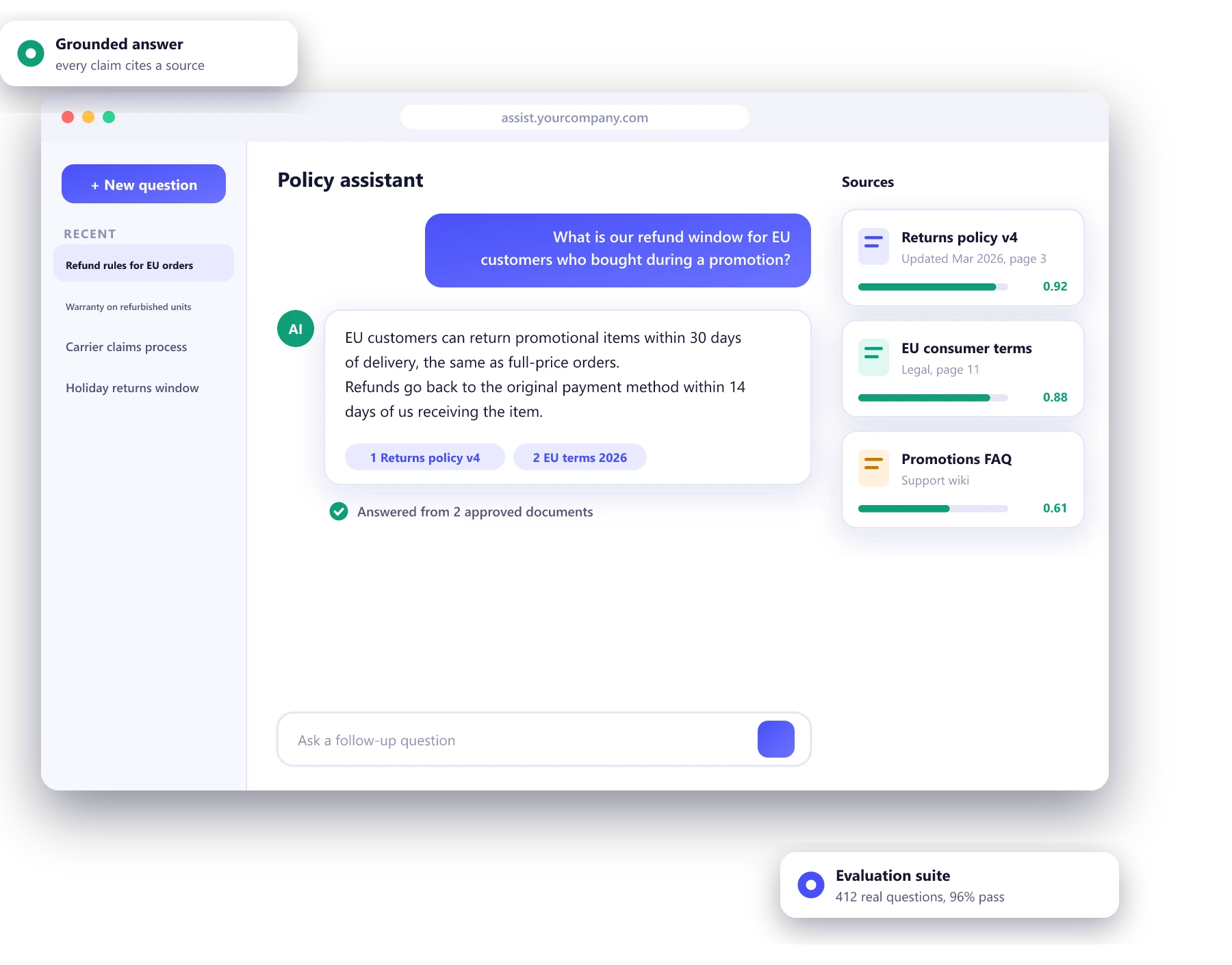
Language models doing useful work
Knowledge assistants
Ask a question in plain English and get an answer from your policies, manuals and wiki, with links to the source.
Support copilots
Drafted replies, suggested macros and ticket summaries for your support team, who stay in control of what is sent.
Document extraction
Contracts, claims, invoices and forms turned into structured data, with a review screen for low-confidence fields.
Content with guardrails
Product descriptions, summaries and first drafts in your brand voice, checked against rules before a human approves them.
Questions about your data
Plain-English questions answered from your database, with the query shown and read-only access enforced.
Agents that take action
When answering is not enough and the model needs to use tools and update systems.
AI agent development →Retrieval first, generation second
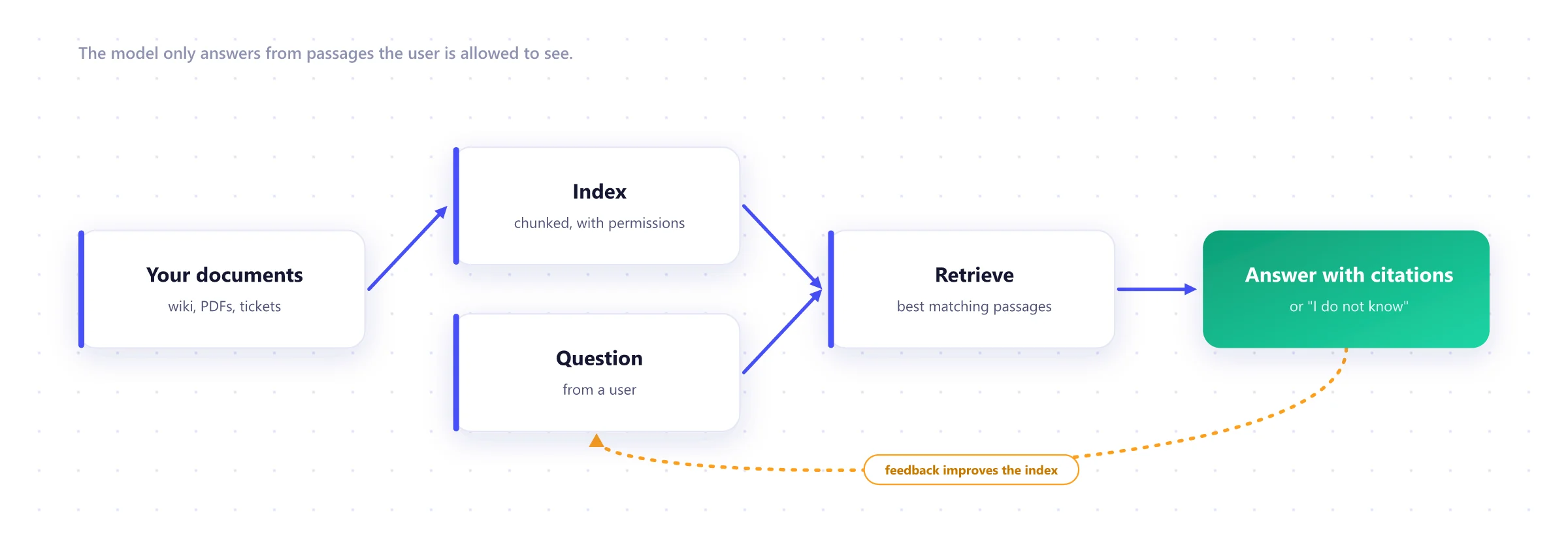
Most business assistants use retrieval-augmented generation, or RAG. The model does not rely on what it learned in training. It is handed the relevant passages from your documents and asked to answer from those alone.
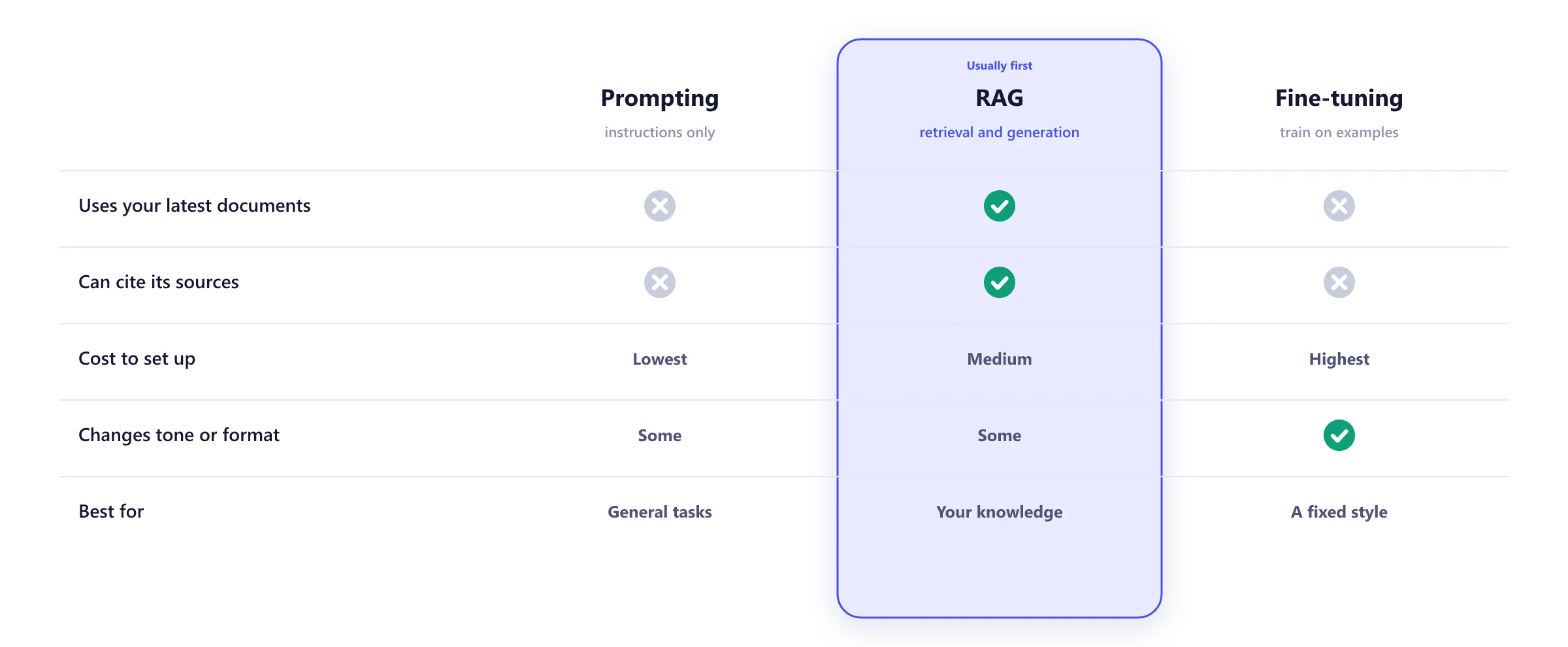
Prompting, RAG or fine-tuning?
Fine-tuning gets talked about most and is needed least. We start with the cheapest approach that passes your evaluation set and only add complexity when the numbers say so. The full comparison is in RAG vs fine-tuning vs prompting.
What makes an AI feature safe to ship
A demo that works on ten questions is easy. A feature that works on the ten thousandth question, for the right person, at a predictable cost, takes these.
- An evaluation set built from your real questions
- Citations on every answer, and refusal when unsure
- Permission-aware retrieval that respects document access
- Prompt injection defenses for untrusted content
- Cost and latency budgets with alerts
- Human review for anything high-stakes
From prototype to production
Use case and test set
1 to 2 weeksOne workflow chosen, success defined, and 100 or more real questions collected as the test set.
Prototype
2 to 4 weeksWorking on your own documents, scored against the test set.
Pilot
4 to 6 weeksReal users, real feedback, weekly improvements and cost tracking.
Production
3 to 6 weeksAccess control, monitoring, rate limits, logging and support handover.
Improve
OngoingNew sources, better retrieval and model upgrades, each re-scored before release.
What we build generative AI with
Models
- Anthropic Claude
- OpenAI GPT
- Llama
- Mistral
Cloud AI
- Azure OpenAI
- Amazon Bedrock
- Vertex AI
Retrieval
- pgvector
- Pinecone
- Weaviate
- Elasticsearch
Frameworks
- LlamaIndex
- LangGraph
- Model Context Protocol
Evaluation
- Promptfoo
- Ragas
- Custom test sets
Observability
- Langfuse
- OpenTelemetry
- Cost dashboards
Generative AI development FAQ
How do you stop the model making things up?
You cannot remove the risk completely, but you can make it small and visible. We ground answers in retrieved documents, require citations, test on a set of your real questions, and design the assistant to say it does not know when the sources do not cover a question. For high-stakes outputs, a person reviews before anything is sent.
Is our data safe?
Retrieval, storage and logs run in your cloud account. Where we use hosted models, we use business terms that exclude training on your data, or providers such as Azure OpenAI and Amazon Bedrock inside your own cloud. Answers respect the same permissions as the source documents. More in running AI on private data.
Which model do you use?
The smallest one that passes your evaluation set. We test candidates from OpenAI, Anthropic and open-weight families such as Llama and Mistral against your own questions, then choose on accuracy, speed and cost. Switching later is designed in.
What does it cost to run?
It depends on volume, document size and the model. We estimate the monthly running cost at your expected usage during the prototype, and set limits so it cannot surprise you. See what an LLM feature costs in production.
How long until we have something people can use?
A working prototype on your own documents typically takes two to four weeks. A pilot with real users takes another four to six. Production hardening, including evaluation, monitoring and access controls, follows the pilot.
Can it connect to SharePoint, Google Drive, Confluence or Zendesk?
Yes. We index the sources you choose on a schedule, keep document permissions attached, and remove content from the index when it is deleted at the source.
Worth reading before you start
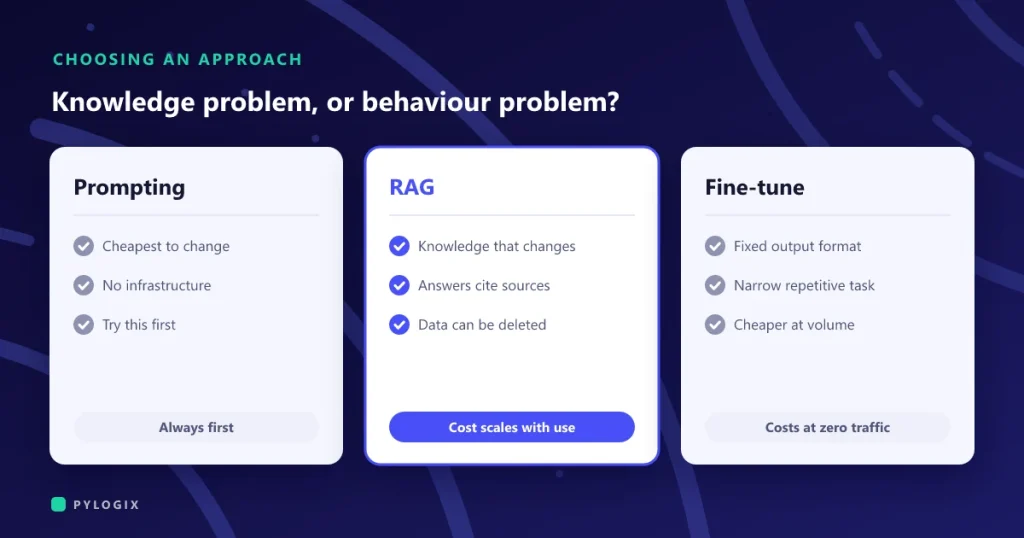 RAG, fine-tuning or prompting: which one you need
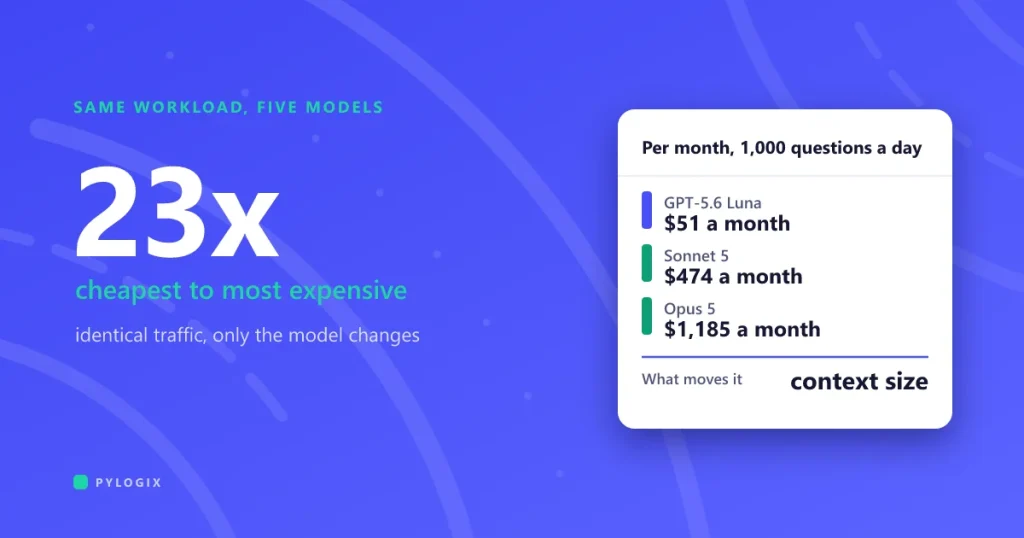 What an LLM feature costs to run in production
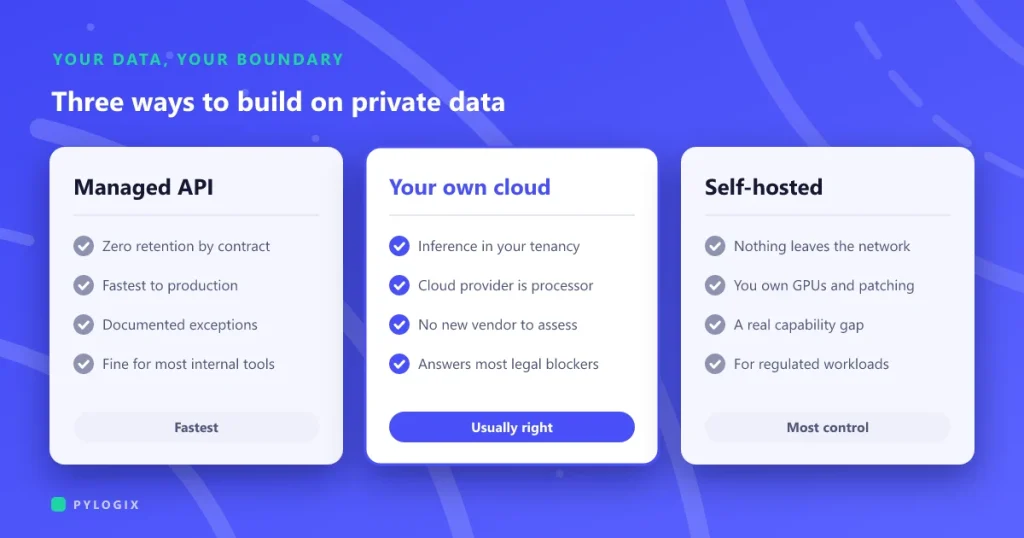 Running AI on your private data
Have a use case in mind?
Tell us the questions people ask or the documents your team handles. We will tell you whether a language model can help, and what a two to four week prototype would prove.