
Replatforming decisions usually get made twice. Once when someone notices the platform is ageing, and again eighteen months later when a support date forces it. The second version is more expensive, because the deadline removes the option of doing it carefully.
For a large number of Magento stores, that second moment has already arrived.
The dates, from Adobe’s own lifecycle policy
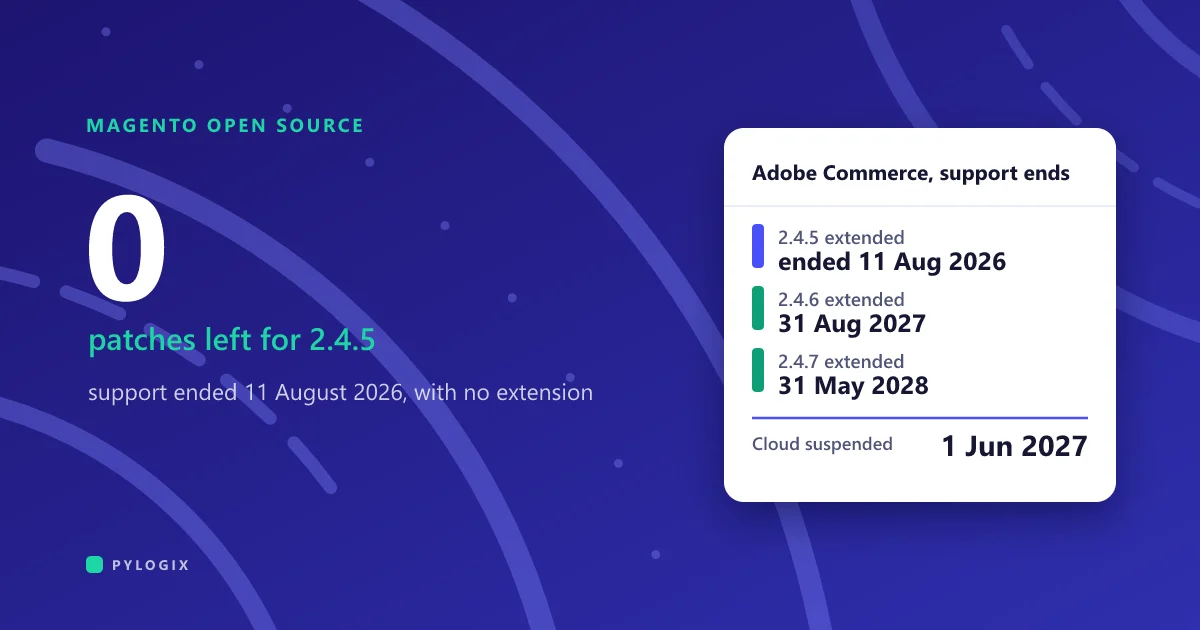
| Version | Standard support ends | Extended support ends | Security only ends |
|---|---|---|---|
| 2.4.4 | 12 April 2025 | 14 April 2026 | 31 May 2027 |
| 2.4.5 | 12 August 2025 | 11 August 2026 | 31 May 2027 |
| 2.4.6 | 11 August 2026 | 31 August 2027 | 31 May 2028 |
| 2.4.7 | 31 May 2027 | 31 May 2028 | not published |
| 2.4.8 | 31 May 2028 | not published | not published |
One more date belongs on the wall: from 1 June 2027 Adobe stops maintaining Cloud environments running unsupported Commerce versions, and states it may suspend traffic to that infrastructure. That is not a patch you can decline. It is your store going dark.
Running unpatched is not only an uptime question. If your store touches cardholder data, PCI DSS requires that known vulnerabilities are addressed, and a platform receiving no security patches cannot satisfy that. Since 31 March 2025 all 51 previously future-dated requirements in PCI DSS v4.x are mandatory with no grace period, including the payment-page script controls in requirement 6.4.3. An unsupported commerce platform turns a technical debt item into a compliance finding.
WooCommerce is a different problem with the same shape
WooCommerce has no vendor end-of-life date, so nothing forces the decision. The pressure arrives differently: a plugin stack that nobody can safely update, a checkout extended by four plugins that each assume they own it, and a database that has grown past what the hosting plan was sized for.
The trigger is usually performance or a failed security review rather than a calendar date. The migration work is the same, and so is the question underneath it: how much of this store is the platform, and how much is things bolted to it.
What actually breaks
In rough order of how much they cost to fix.
URLs, and the organic traffic attached to them
This is the one that destroys real money and the one most often handled last. Category URLs, product URLs, filtered navigation, paginated pages, CMS pages, old redirects already in place. Platforms disagree about URL structure, so a large share of your addresses will change.
Export every indexed URL before you start, from your sitemap, your analytics and a crawl, then build a one-to-one redirect map as a deliverable with an owner. Retrofitting it after launch recovers some of the loss, never all of it.
Extensions, which do not have equivalents
A Magento store with forty extensions does not become a Shopify store with forty apps. Each one lands somewhere different, and the two expensive buckets are small but they carry the budget.
Inventory every extension and mark it native / app / custom / drop, before anyone quotes. This one spreadsheet moves an estimate from a guess to a number.
Checkout logic you no longer own
Magento lets you change checkout freely. Shopify does not, by design, because the checkout is where its conversion work and PCI scope live. On Plus you get Checkout Extensibility and Shopify Functions, which cover a great deal, but they are extension points rather than a blank page.
List every rule your current checkout enforces and confirm each one against the target platform’s extension points, before the contract. Custom tax logic, complex shipping rules, approval workflows and B2B payment terms are the usual casualties.
Data that moves less cleanly than expected
Products and categories usually migrate well. Three things reliably do not: customer passwords, which are hashed and cannot transfer, so every customer resets on first login. Historical orders, which often arrive as reference data rather than fully functional records, and custom attributes that were added over ten years and are used by exactly one report.
Decide early what history actually needs to be live rather than archived. Full order history migration is frequently the most expensive line and the least used feature afterwards.
Integrations that get rebuilt, not moved
ERP, PIM, warehouse, accounting, tax, subscriptions, loyalty. Each connection is written against the old platform’s data model and events, so it is rewritten rather than repointed. If the original integration was built by someone no longer available, budget for reverse-engineering it first.
Get a list of every system that reads or writes to the store, including the ones going directly to the database. There are always more than the architecture diagram shows.
What the platform side costs, with published numbers
Shopify publishes its Plus pricing, which makes at least one side of the comparison honest.
| Line | What it covers | Published rate |
|---|---|---|
| Shopify Plus, 3-year term | Platform, up to 9 expansion stores | $2,300 / month |
| Shopify Plus, 1-year term | Same, shorter commitment | $2,500 / month |
| Extra expansion store | Beyond the nine included | $300 / month |
| Third-party payment processor | Paid to Shopify, on top of your processor | 0.20% / transaction |
| Apps replacing extensions | Per app, per month | varies |
| The build | Extensions, checkout, data, integrations | not published by anyone |
Two notes on that table. Shopify describes these as starting prices and mentions a variable platform fee for more complex business structures, so a large merchant should expect a negotiated number rather than the list one. And the 0.20% on an outside processor is worth modelling at your actual volume: at $20m of annual GMV it is $40,000 a year, which can exceed the difference between processors you were comparing.
On build cost, we are not going to quote a range, because nobody has published one that means anything. Agency figures for headless and replatform projects circulate widely and are self-reported marketing numbers, not survey data. What we can tell you is what the number is made of: the custom and dropped columns in the extension chart, the checkout rules that have no extension point, the integrations being rewritten, and how much order history has to be live. Price those four and you have an estimate. Skip them and you have a number that will move.
Upgrade in place, or replatform?
For a Magento store the honest comparison is not Magento against Shopify. It is upgrading Magento against replatforming, and the two are driven by the same variable.
Upgrade in place
- Cheapest when customisation is light and extensions are current
- URLs and SEO survive intact, which removes the largest risk
- Your team keeps the skills it already has
- Buys you until the next end-of-life date, and then you are here again
Replatform
- Cost scales with the same custom code and extensions an upgrade has to fix
- Removes the lifecycle treadmill and usually the hosting and patching burden
- Puts the SEO estate at risk in one event
- Right when the platform, not the version, is the thing that stopped fitting
The pattern we see: stores with a light extension footprint should upgrade, because the work is genuinely smaller and the traffic risk is near zero. Stores that have spent five years building around the platform find the upgrade estimate lands close to the replatform estimate, because the cost in both cases is the custom code. At that point replatforming buys more.
The reasoning is the same as in build or buy: the question is how much of what you run is genuinely yours, and how much is a platform you could stop maintaining.
Protecting the traffic, specifically
- Crawl the live site before anything changes. Every indexed URL, its status code, its title and its canonical. This is your baseline and your acceptance test.
- Map old to new, one to one. Not category-level rules. Every URL with traffic or links gets a named destination, and the ones that genuinely have no equivalent return 410 rather than being pointed at the homepage.
- Keep the existing redirect chains. Stores that have replatformed before carry redirects from the last migration. Dropping them breaks links that still work today.
- Test the map against the crawl before launch, on the staging domain. A redirect map nobody executed is a spreadsheet.
- Watch for a fortnight, not a day. Recrawl, compare against the baseline, and fix the misses while they are still fresh in the index.
Everything else about a replatform is recoverable. Losing a decade of accumulated ranking is the one that shows up in revenue and takes years to rebuild.
A realistic sequence
If you are on an unsupported version today, the sequence does not change but the first step gets more urgent. There is a difference between choosing to replatform and being made to, and it is priced in.
Related reading: migrate, rebuild, or wrap covers the same decision outside commerce, what custom software actually costs covers how to read the resulting quotes, and writing a brief that gets accurate quotes is effectively what the inventory above is.
We replatform and upgrade commerce stores, and we do the inventory before quoting because a number produced any other way is fiction. If you are on Magento and want to know which of the two paths your store actually needs, tell us what you are running.
Common questions
When does Magento support end?
It depends on the edition. For Adobe Commerce, standard support for 2.4.5 ended 12 August 2025 and for 2.4.6 on 11 August 2026, with extended support to 11 August 2026 and 31 August 2027 respectively, then a security-only period. Magento Open Source receives no extended support, so Open Source merchants on 2.4.5 or 2.4.6 are already unsupported. From 1 June 2027 Adobe will stop maintaining Cloud environments on unsupported versions and may suspend traffic to them.
How much does it cost to migrate from Magento to Shopify?
The platform side is published: Shopify Plus starts at $2,300 a month on a three-year term or $2,500 on a one-year term, plus 0.20% per transaction if you use an outside payment processor and $300 a month for expansion stores beyond the nine included. The build cost is not published by anyone credible, and it is driven by four things: extensions with no native or app equivalent, checkout rules with no extension point, integrations being rewritten rather than repointed, and how much order history has to stay live.
What breaks when you replatform an ecommerce store?
URLs and the organic traffic attached to them, first and worst. Then extensions, which rarely have one-to-one equivalents. Then custom checkout logic, because Shopify deliberately limits checkout modification. Then data: customer passwords cannot transfer so everyone resets, and historical orders often arrive as reference rather than functional records. Finally every integration, which gets rewritten against the new data model rather than repointed.
Should we upgrade Magento or replatform?
Both are driven by the same variable, which is how much custom code and how many extensions sit on top of the platform. With a light footprint, upgrade: the work is genuinely smaller and the SEO risk is near zero. With a heavy one, the upgrade estimate usually lands close to the replatform estimate because the cost in both cases is the customisation, and at that point replatforming buys more. Build the extension and integration inventory before deciding.
Sources
- Adobe, Software lifecycle policy, Adobe Commerce documentation, retrieved September 2026. Standard support end dates: 2.4.4 on 12 April 2025, 2.4.5 on 12 August 2025, 2.4.6 on 11 August 2026, 2.4.7 on 31 May 2027, 2.4.8 on 31 May 2028. Extended support: 2.4.4 to 14 April 2026, 2.4.5 to 11 August 2026, 2.4.6 to 31 August 2027, 2.4.7 to 31 May 2028. Security-only periods: 2.4.4 and 2.4.5 to 31 May 2027, 2.4.6 to 31 May 2028. From 1 June 2027 Adobe will no longer maintain Cloud environments running unsupported Commerce versions and may suspend traffic to that infrastructure. Extended and security-only entitlements apply to licensed Adobe Commerce, not Magento Open Source.
- Shopify, Plus pricing page, retrieved September 2026: $2,300 per month on a three-year term or $2,500 on a one-year term as starting prices, with a variable platform fee available for more complex business structures. Up to nine expansion stores included and $300 per month for each additional store. 0.20% per transaction payable to Shopify when using a third-party payment processor.
- PCI Security Standards Council: PCI DSS v4.0.1 replaced v4.0 effective 31 December 2024, and all 51 previously future-dated requirements became mandatory for assessments from 31 March 2025 with no grace period, including requirement 6.4.3 on documenting, tracking and authorising payment page scripts.
- We have deliberately not quoted a build cost range. The figures circulating for replatform and headless projects are agency self-reporting rather than survey data, and repeating them would give a false sense of precision.
Written September 2026. Lifecycle dates change. Verify against Adobe’s published policy before acting on them.